The Single Tool Saving My Small Business Hundreds of Dollars a Year
As an advocate for making small business ownership as accessible as possible to as many people as possible, nothing irks me more than learning that people are wasting their money on unnecessary tools and subscriptions.
If you’re running a small business, it is so easy to slowly allow those monthly subscriptions to accumulate. One for email, another for video calls, and another for e-signatures; next thing you know you’re paying for six different tools that are each doing their own thing.
I know this because I’ve been there. At one point in my business, I was spending upwards of $800+ per year on these subscriptions and as a one person team, that is not an insignificant amount of money. Finally, I learned there was a better way.
And, in this post I’m going to walk you through the one tool that replaced almost all of it.
The Money You’re Wasting
Let me show you exactly what I’m talking about. If you’re using separate tools for each of these functions, here’s roughly what you’re paying:
| Tool | Cost |
|---|---|
| Custom email server | $50/yr |
| Video conferencing | $200/yr |
| E-signatures | $150/yr |
| Screen recording | $200/yr |
| Calendar bookings | $120/yr |
| File storage | $120/yr |
That’s over $800 a year (and that’s being conservative). For a small business owner, that’s real money going out the door for tools that, in many cases, you don’t always need all the time.
There’s a better way.
The Tool That Changed My Business
I’ve been using the Google Workspace Standard subscription in my business for a few years now and it covers every single one of those categories. The Standard plan runs $18.40 CAD/user/month (discounted 10% if you use my link) and it comes with a 14-day free trial so you can test it before committing.
Not sponsored by the way, though I do receive a small commission if you sign up using my link.
What’s Included
(and how it can replace what you’re already using)
1. Custom Business Email
This feature alone is worth it for the perceived credibility it can bring to your small business. Assuming you own a domain for business already, Google Workspace lets you finally retire your mybusiness@gmail.com email address for hello@yourbusinessname.com in just a few clicks.
If you haven’t purchased a domain yet, you can easily do so at a site like CanSpace (.ca domains) or Namecheap (all other domains).
Once you’ve secured a custom domain, you can follow my link to sign up, fill out your business name, number of employees, and connect your domain. That’s it.
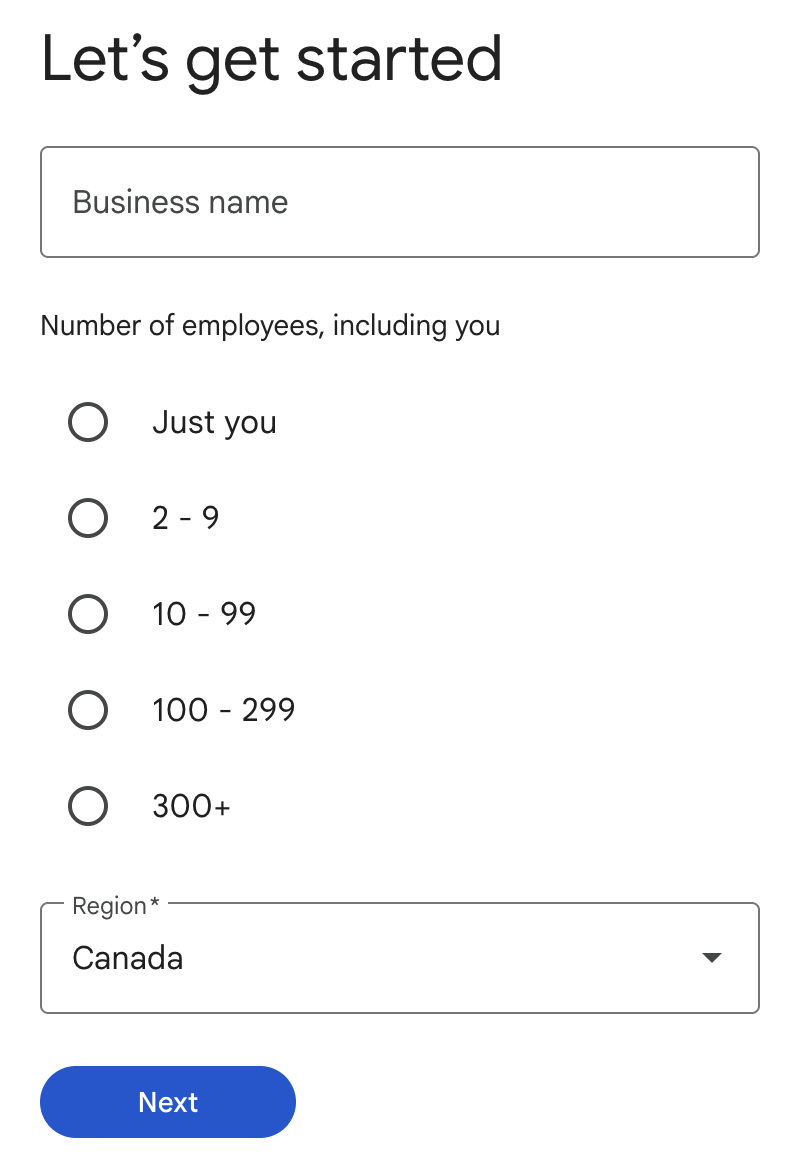
You get all the Gmail functionality you’re already used to, just with your own branded address.
2. Calendar Booking Links
Say goodbye to Calendly and Acuity Scheduling. Google Calendar has a built-in Appointment Schedule feature that does exactly what those apps do, and it’s already included in your subscription (provided you have the Standard subscription).
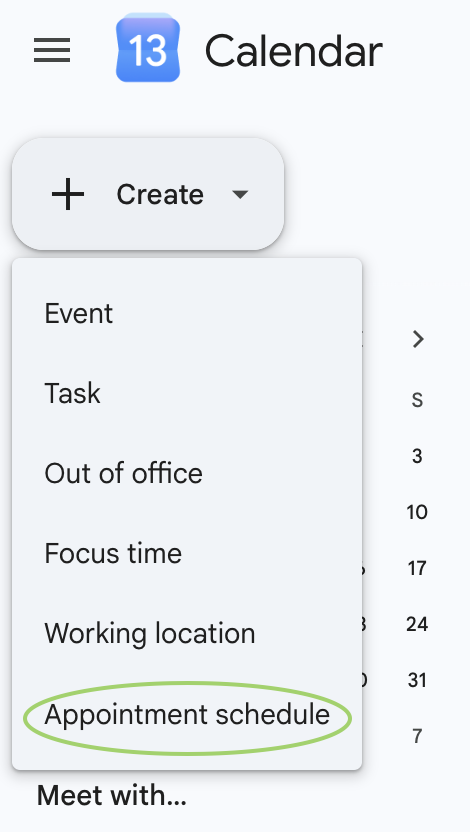
You can access this feature inside Google Calendar by going to +Create → Appointment schedule.
This feature allows you to set your availability, customize appointment duration, check other team members’ calendars for conflicts, collect payment via Stripe, and add custom questions to the booking form. All directly inside your Google Calendar!
3. E-Signatures
Google Docs now has a built-in eSignature tool, which means you no longer need DocuSign, PandaDoc, or any other third-party contract tool for signing documents.
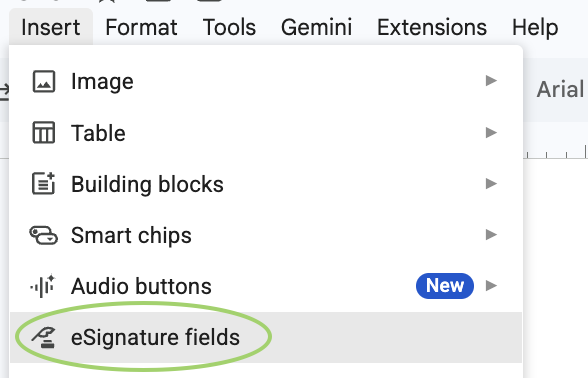
To access this feature inside any Google Doc, go to Insert → eSignature fields, add the fields you need, then request the signature by entering the recipient’s email.
Google automatically creates a PDF, sends it for signature, saves it to your Drive, and updates it once signed. And before you ask, yes this tool is designed to be legally binding and compliant with major electronic signature laws like the U.S. ESIGN Act and EU eIDAS regulations.
4. Screen Recordings & Walkthroughs
If you currently use Loom or Tella for tutorials or client walkthroughs, Google Vids is your replacement. Using this tool you can record your screen, your face, or both.
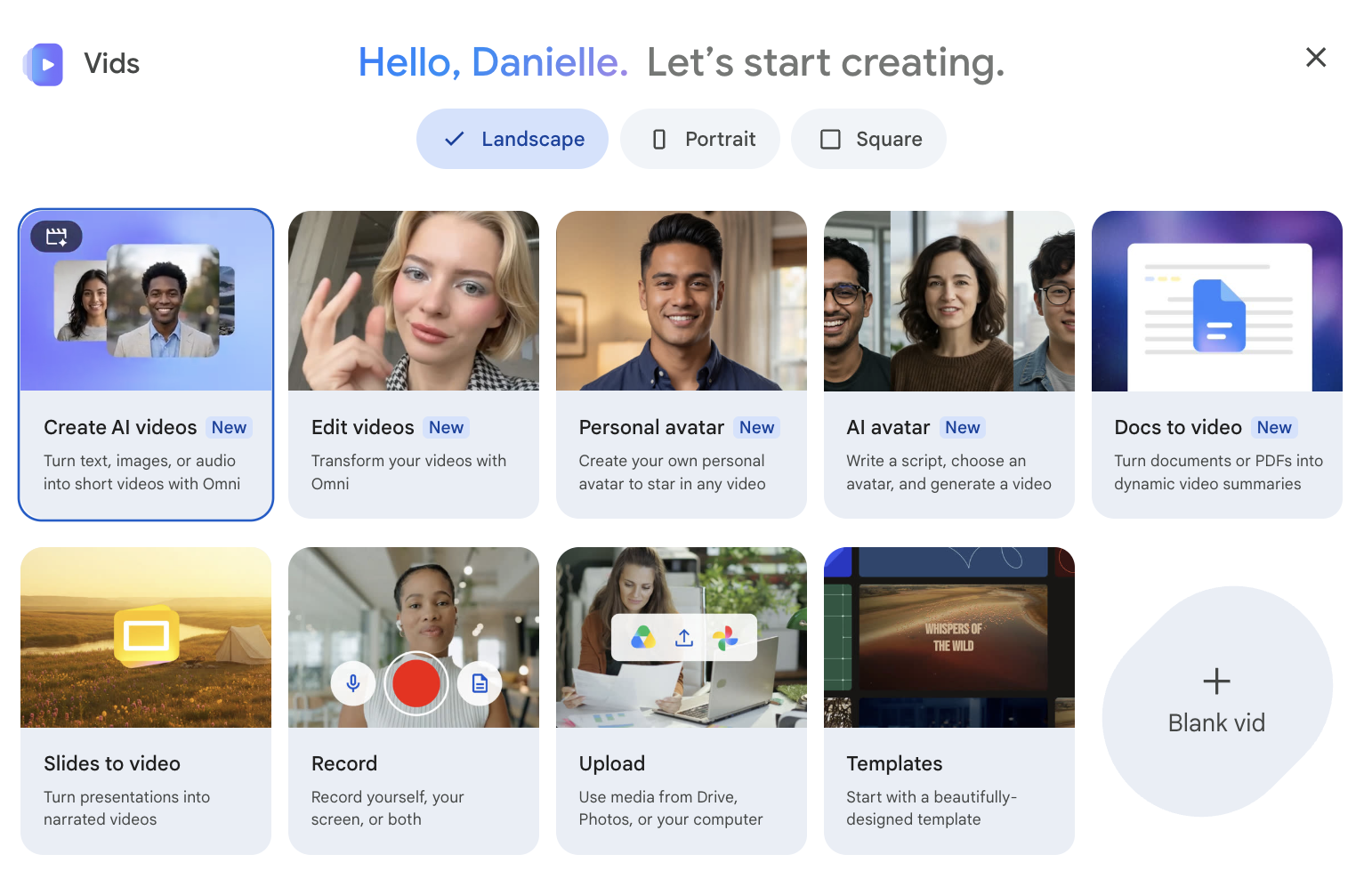
It also lets you create full video presentations, add AI voiceovers to slide decks, and build storyboarded video content. For anyone sending “here’s how this works” videos to clients, Google Vids is the only tool you need.
5. Video Conferencing
Google Meet replaces Zoom entirely. Not only is it automatically integrated into Google Calendar (meaning when someone books into your calendar, it automatically sends a meeting link), but with the Google Workspace Standard subscription you can have video meetings with up to 150 participants, save recordings automatically to your Drive, host meetings up to 24 hours long (no more getting cut off at 40 minutes), and get access to the Gemini AI notetaker.
6. File Storage & Organization
My final and favourite feature of the Google Workspace Standard plan is the 2TB of storage it includes. This replaces Dropbox or any other cloud storage you’re paying for separately and makes for an easy way to store and share files with clients or customers when needed.
So, Let’s Recap
You can save over $600 annually just by consolidating tools you were already using. And if you want to save even more, I have a referral link that gets you an additional 10% off the annual subscription.
I do receive a small commission if you use this link.
After nearly a decade in business myself, I’ve come to recognize that most small businesses don’t need six subscriptions. They need one solid platform that handles the basics without nickel-and-diming you for each feature. Google Workspace Standard does all of that for about the price of a single Zoom subscription. Seems like a no brainer to me.
If you have questions about how I use it or how to get set up, send me an email and let’s chat.
Ready to cut your subscriptions?
Try Google Workspace free for 14 days, and get 10% off with my link.
Start your free trial →